HA Real Estate Website Revamp
HA Real Estate is a Toronto-based property platform that needed a clearer, more modern website experience to support property discovery and lead generation. I redesigned the end-to-end user experience, improved listing clarity, and introduced an advanced filtering system to help users find homes based on lifestyle needs and neighborhood fit. The project focused on improving usability, visual consistency, and search confidence across desktop and mobile.
Context
Website redesign
property search
responsive ui
tools
UX audit, competitor analysis, user research, journey mapping.
Timeline
5 months
Role
UX/UI designer
Research
Information Architecture
Research
The challenege
A dated property website was making search and trust harder than they needed to be.
The original HA Real Estate website had useful property content, but the experience felt fragmented across search, navigation, listing discovery, and mobile browsing.
The redesign challenge was to create a clearer property discovery journey: helping users search, compare, and evaluate homes with less friction.
Before Redesign:
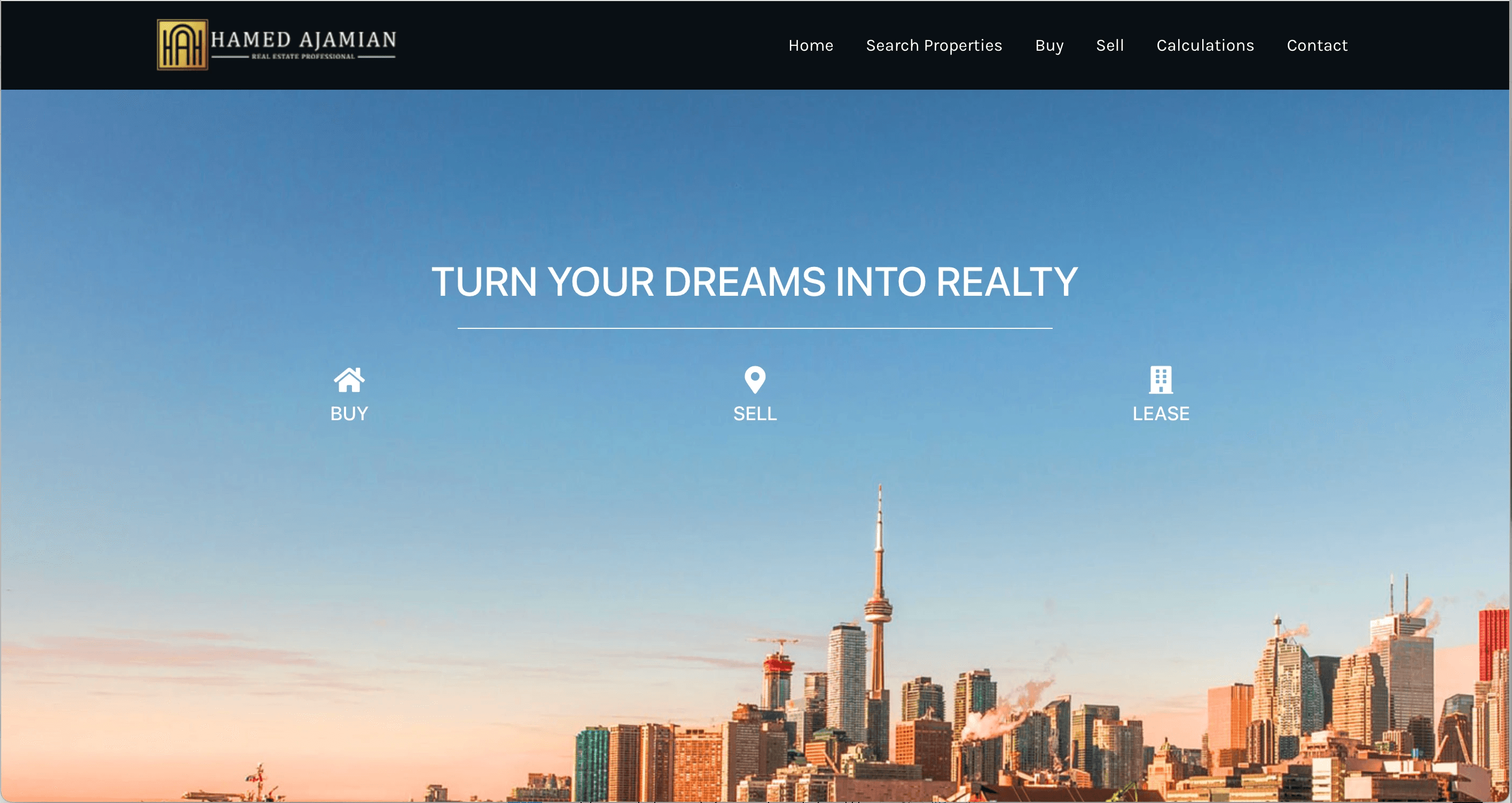
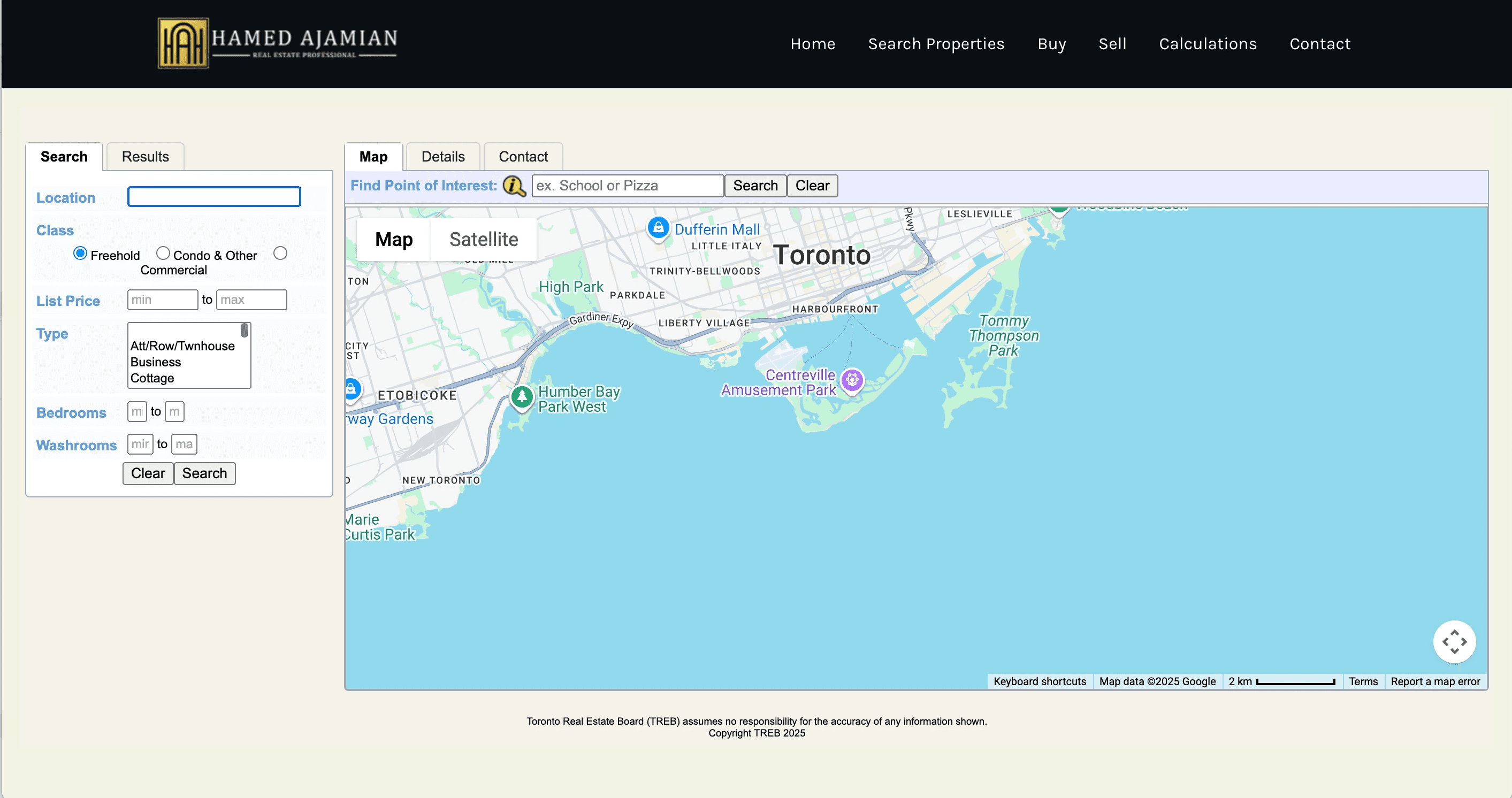
The previous experience relied on basic search, dated map UI, and inconsistent page layouts.
UX Audit Findings
I audited the existing website across navigation, search, listing discovery, accessibility, and mobile usability. Four key issues shaped the redesign direction:
Fragmented Experience
Inconsistent layouts and UI patterns made the site harder to navigate.
Limited Search Control
Inconsistent layouts made the site harder to navigate.
Unclear Information Hierarchy
Key property details were not easy to scan, compare, or act on quickly.
Weak Mobile Usability
Search and browsing interactions did not translate well to smaller screens.
Redesign Goals
The audit findings shaped four priorities for the redesign.
Discovery
Make property search faster and more relevant.
Clarity
Help users compare listings with less effort.
Trust
Create a more polished and consistent experience.
Conversion
Guide users more clearly toward inquiry.
Discovery Questions
To guide the redesign, I framed research around the key decisions users make when searching, comparing, and inquiring about properties.
What did we need to learn?
What information matters most when users search, compare, buy, rent, or sell a home?
Who did we need to learn from?
Home buyers, renters, sellers, investors, and agents involved in the property journey.
How could we reach them?
Company contacts, informal interviews, focus groups, and real estate communities.
What did we already know?
The process is high-stakes, emotional, and information-heavy — but the website did not fully support that complexity.
What Users Needed Most
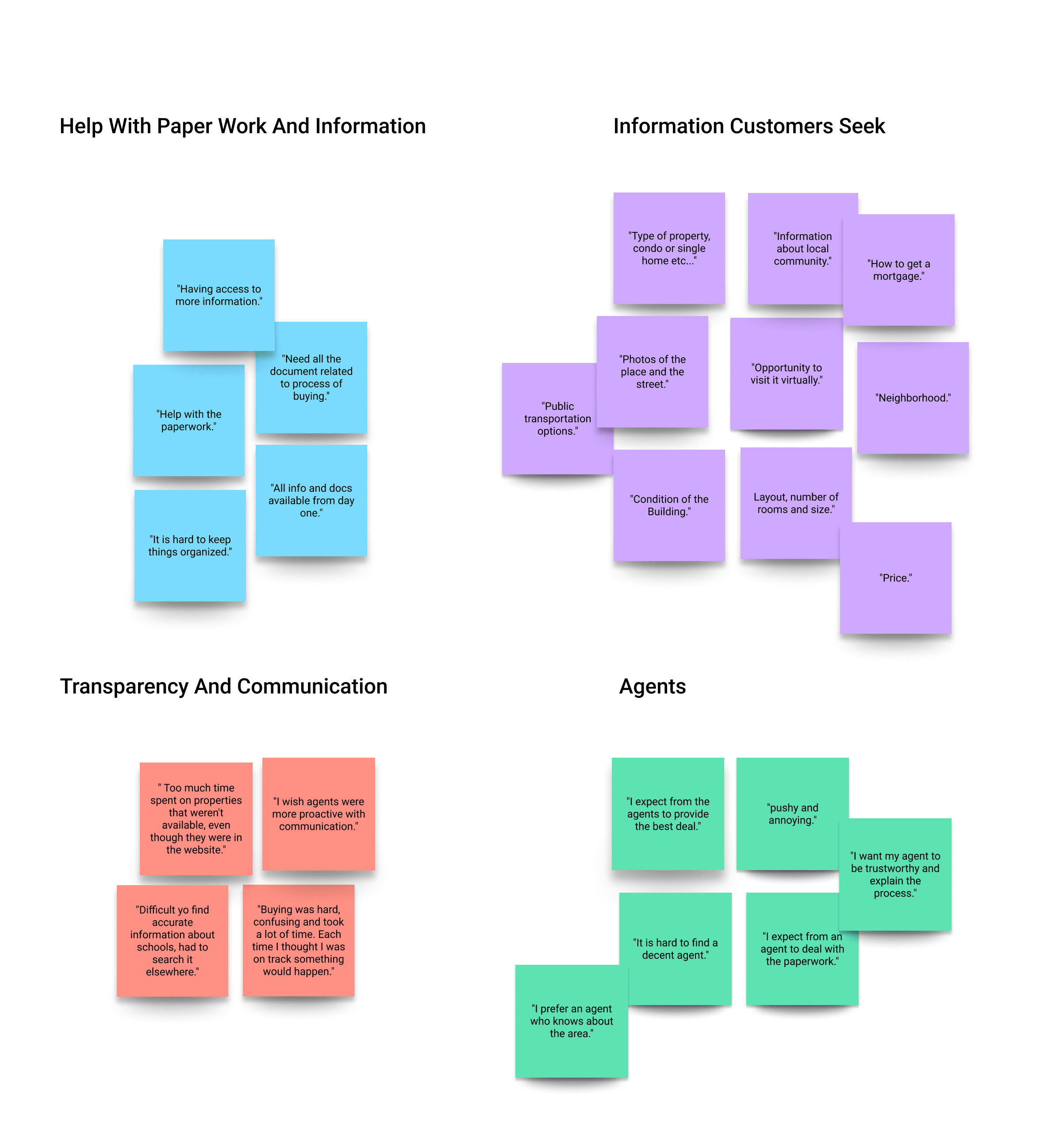
Interview notes were grouped into themes around search, information needs, transparency, and agent support.
Better Filtering
Users wanted faster ways to narrow results by price, location, property type, and lifestyle needs.
Clearer Property Details
Users needed accurate, organized information to compare homes with less effort.
Trust & Transparency
Users looked for clear agent info, verified details, and transparent communication.
Emotional Reassurance
Buying or renting felt stressful, so users needed guidance, clarity, and confidence.
Information Architecture
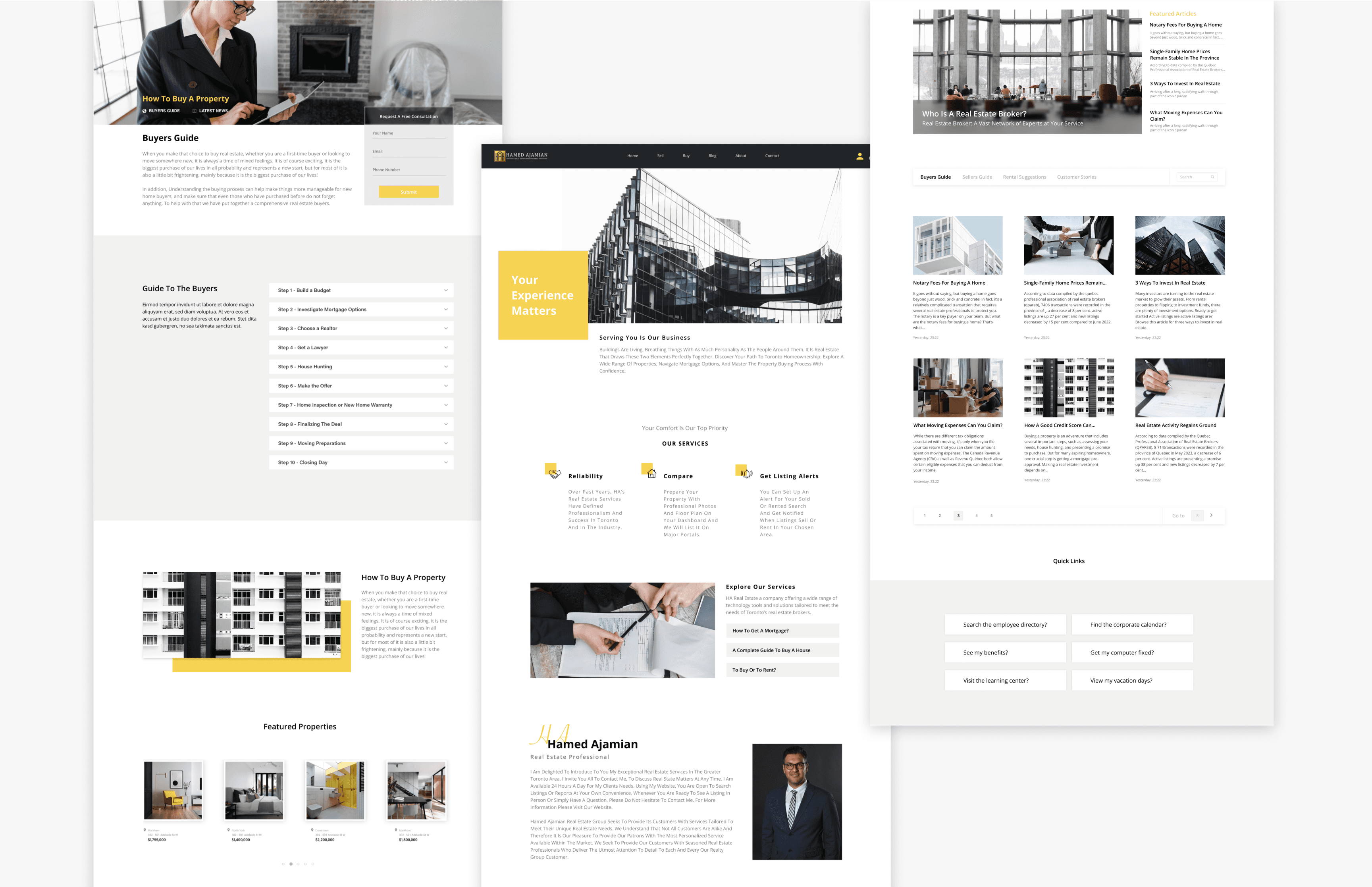
I restructured the website’s navigation to better support how users search, compare, buy, sell, and inquire about properties. The new IA prioritizes key actions like property search, listing a property, buyer/seller guidance, and contact support.
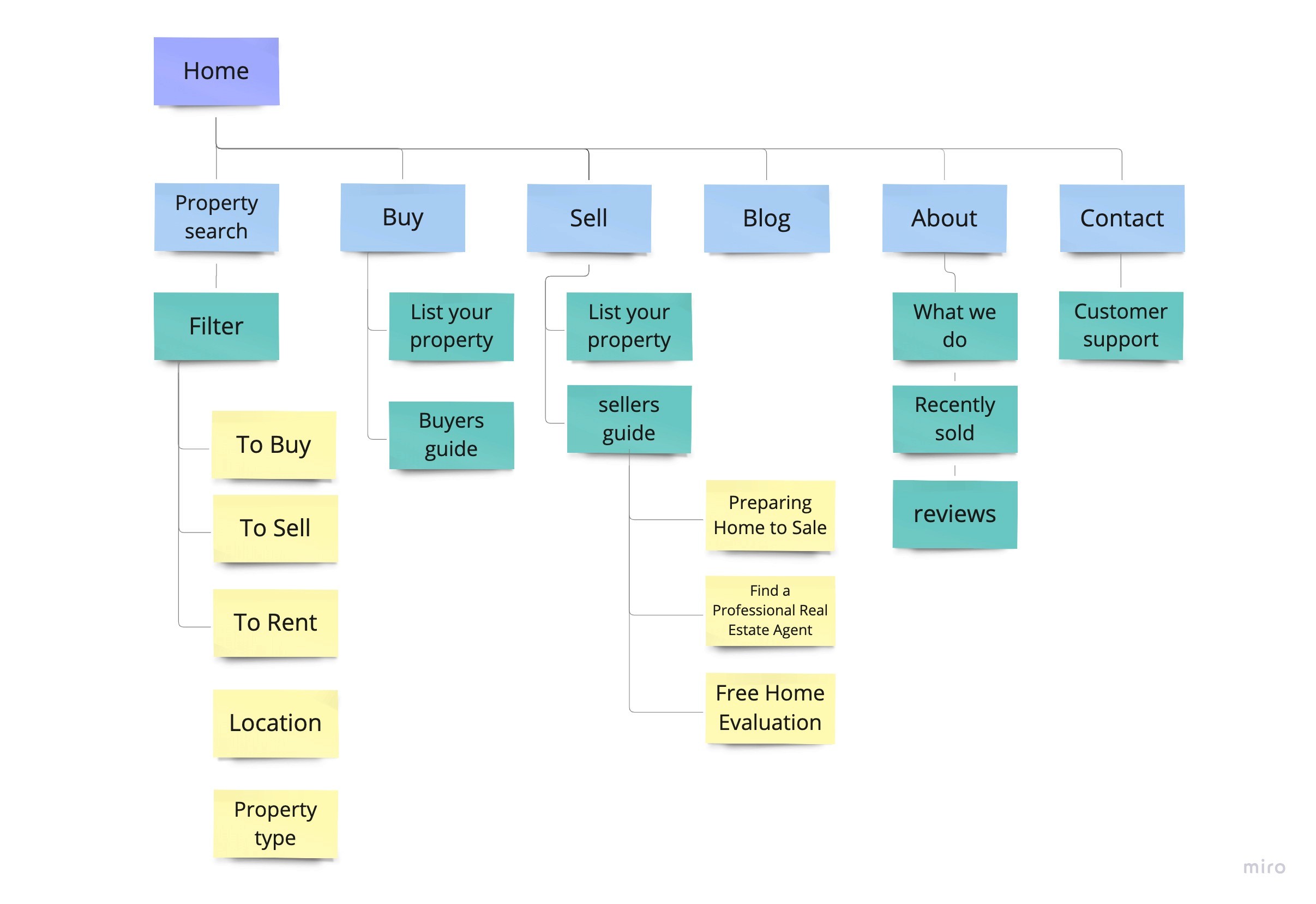
The redesigned IA created a clearer path from browsing to inquiry.
Grouped content around user goals: search, buy, sell, learn, and contact.
Made property search and filtering easier to access from the main flow.
Organized buyer, seller, and support resources into clearer paths.
Final Design Direction
Property Detail Page
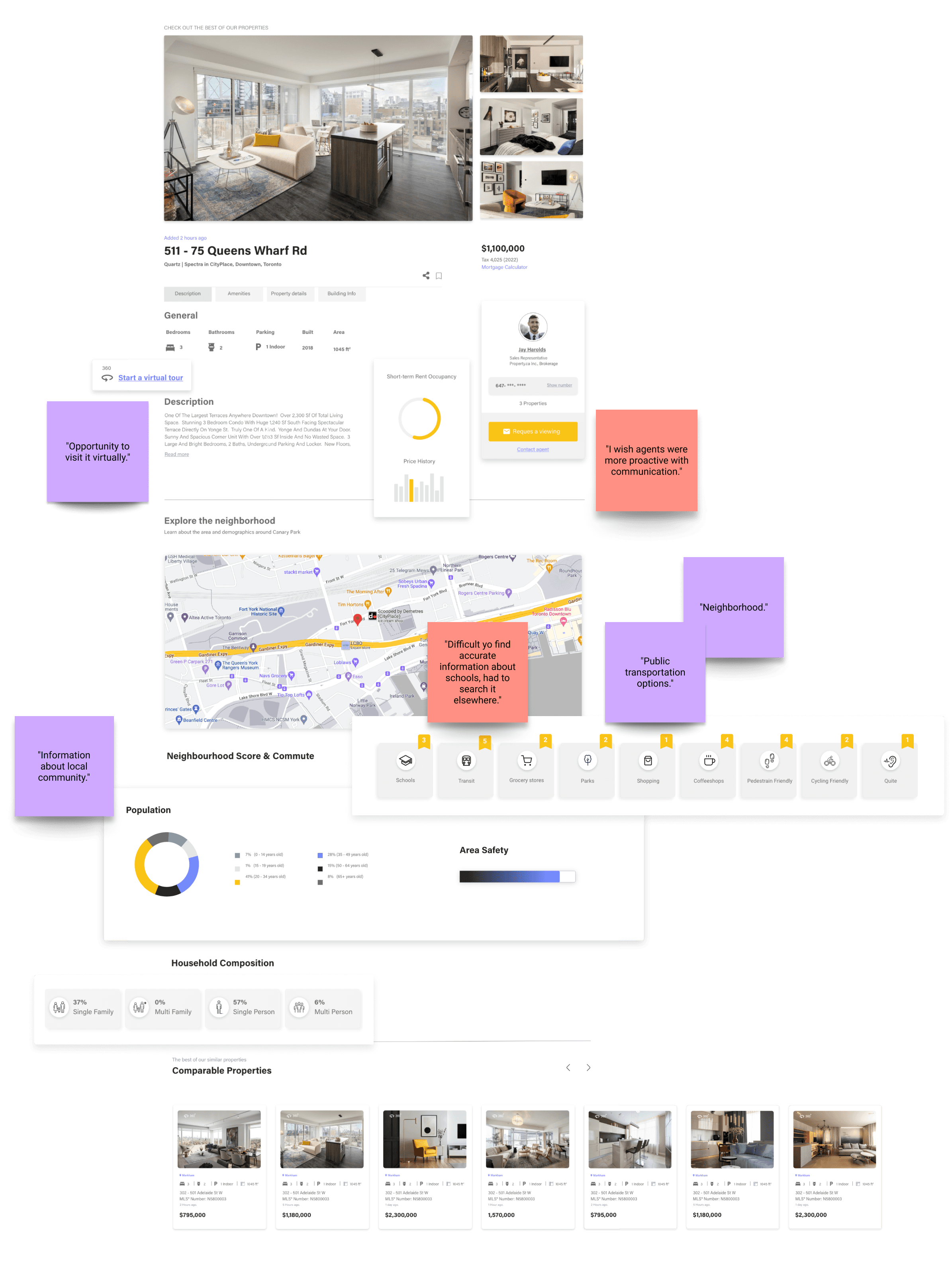
I redesigned the property detail page to help users evaluate a listing quickly, with stronger visual hierarchy, clear pricing, image previews, key tabs, and easier access to property information.

Final Design Direction
From User Needs to Product Features
I translated interview insights into features that help users evaluate a property beyond photos and price.
Shows nearby transit, schools, groceries, parks, and lifestyle amenities.
Makes contact and viewing requests easier to find.
Surfaces similar listings to help users compare options faster.
Final Design Direction
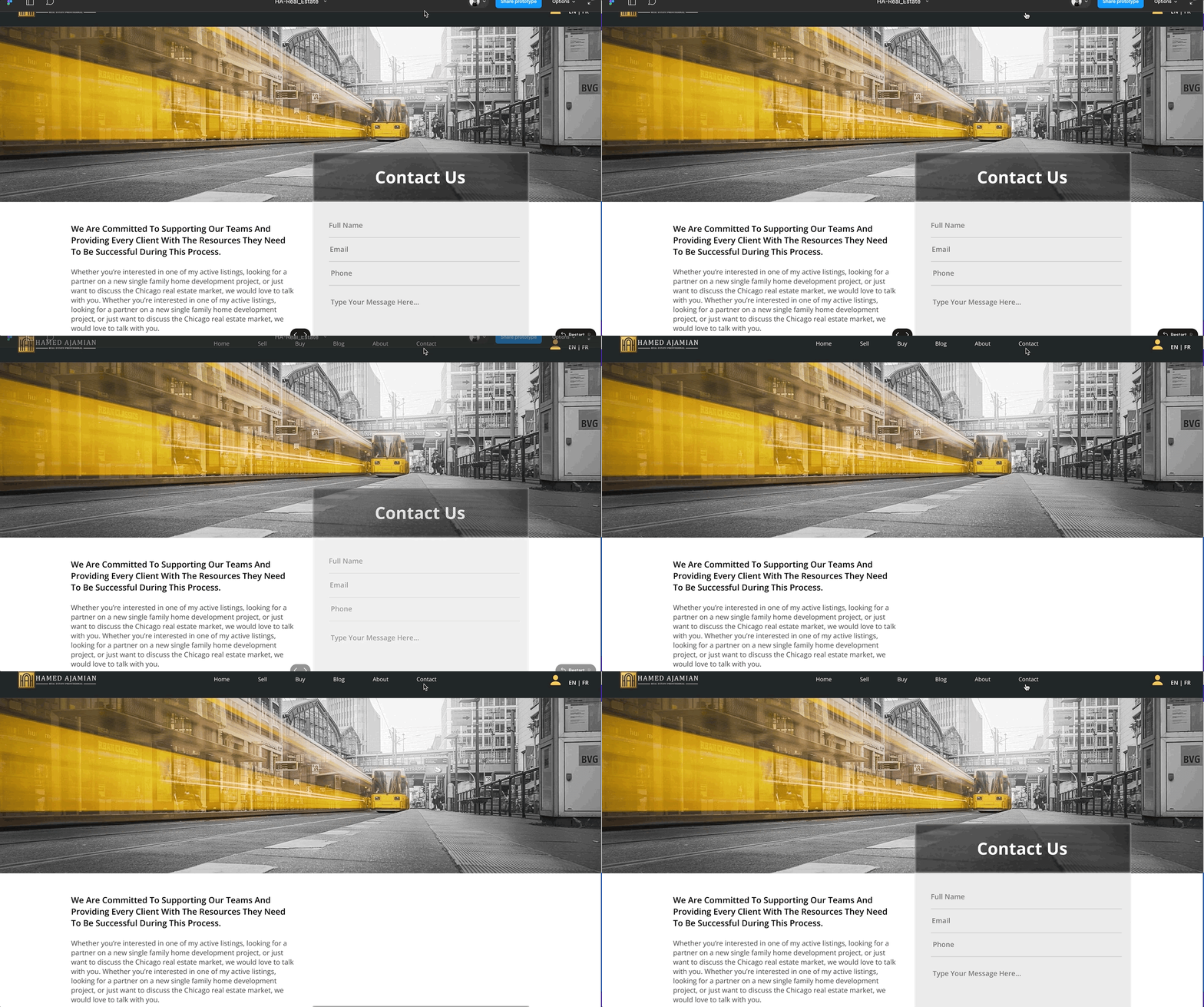
Contact Page
Validation & Feedback
Clearer Navigation
Users found the redesigned structure easier to follow.
Better Listing Clarity
Property information felt more organized and easier to scan.
Useful Neighborhood Context
Users valued local details beyond the property itself.
Scalable UI System
Reusable components improved consistency across pages.